A conversation in your hands.
Text, photos and voice messages, with searchable local history. Obscure groups add participant roles and synchronized membership rules.
 boqpod
Private conversations. An identity without a phone number. Messaging, voice and video in one app — with GSMBox to bring your mobile line into the picture.
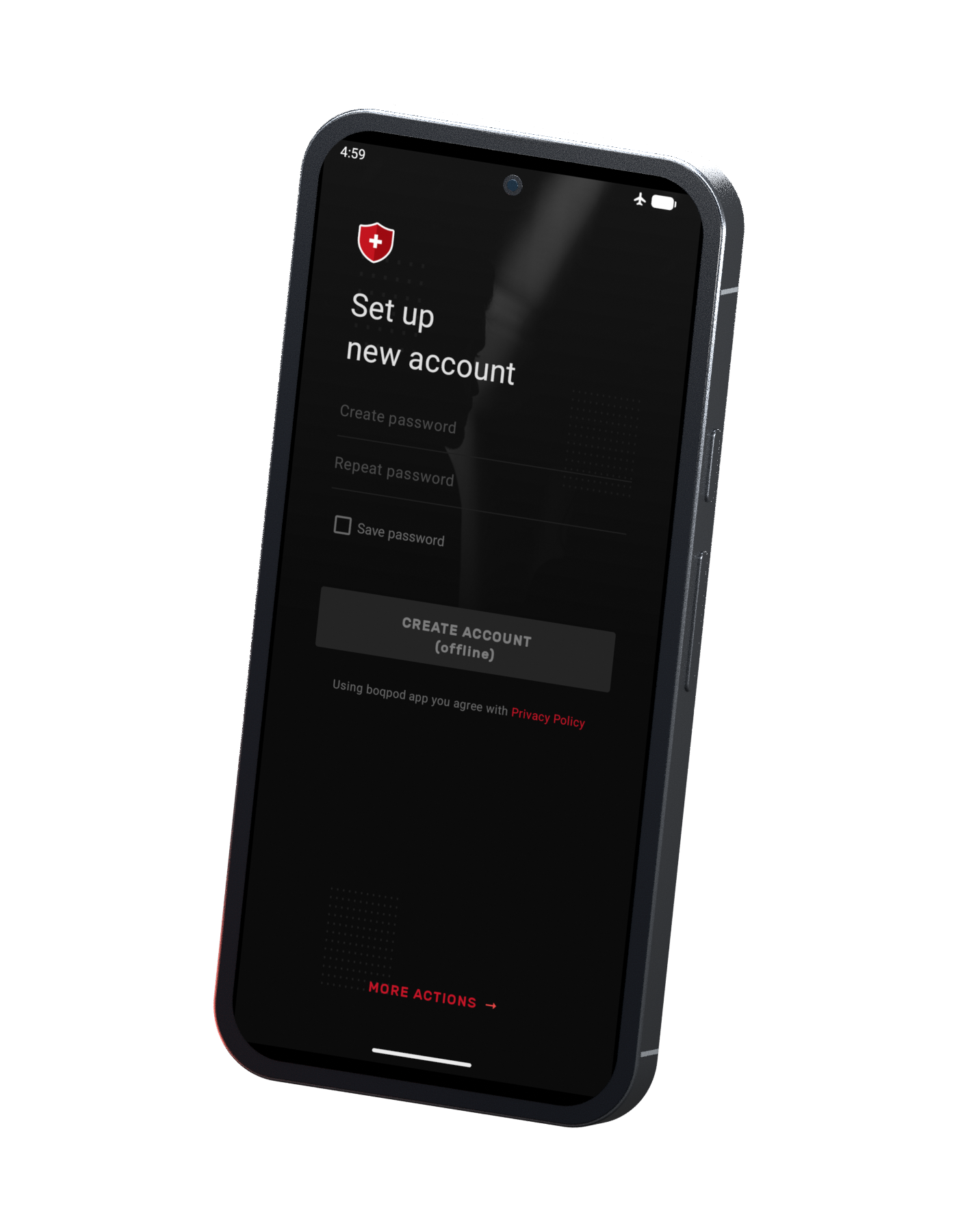
Connect by boqpod ID or QR code. Talk one-to-one, build an Obscure group, send a photo or hear a familiar voice. Your account starts with your own identity, without an address-book upload.
Text, photos and voice messages, with searchable local history. Obscure groups add participant roles and synchronized membership rules.
One-to-one voice and video calls. Choose direct connectivity, a server bridge or TCP transport to suit your network.
No phone number or email required. Share your boqpod ID and keep a 25-word recovery phrase to restore your identity.
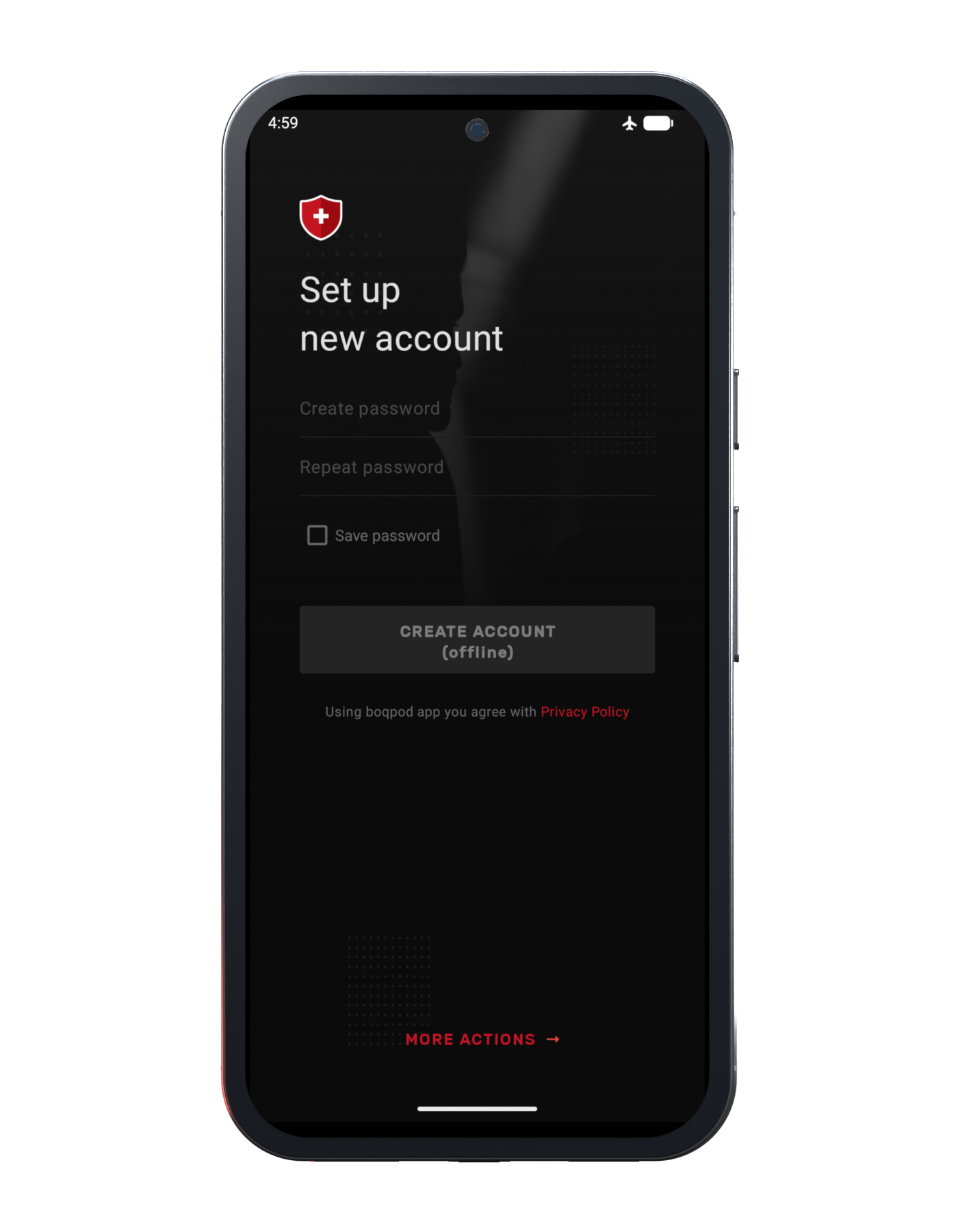
boqpod brings messaging, voice and video together around an identity you create yourself. Your conversation history stays in a local encrypted database. You decide who to connect with, how calls travel and when to clear your data.
Create your boqpod identity without a phone number or email. Exchange an ID or scan a QR code to connect.
Messages and private keys belong to your local account. The server delivers encrypted messages instead of maintaining a cloud conversation archive.
Incoming messages and calls use boqpod’s connection service. Google’s Firebase Cloud Messaging is not part of delivery.
Android 1.3.0
If someone pressures you to unlock boqpod, a separate Panic PIN is designed to clear the app’s data on that device. In Android 1.3, entering it on the app lock screen deletes the local databases and resets the application’s stored data.
Panic PIN clears boqpod’s data on this device. It does not delete another person’s copies, separately exported files or external backups, and is not a guarantee of forensic erasure of flash storage. A recovery phrase can restore the identity, not the deleted conversation history.
Obscure chats bring group membership and permissions into the clients themselves. Participants synchronize signed records describing the group and its members. The app sends a separate encrypted message to each participant.
A founding record defines the group identity and initial settings. Membership records describe participants and their rights. Clients compare a summary of that state and exchange updates when they differ. Group data travels inside each recipient’s encrypted message. This is a client-managed group protocol; it does not make participants anonymous to the delivery service.
Move from a one-to-one conversation to a voice or video call. Switch cameras, use speakerphone or mute your microphone from the call screen.
Call media uses SRTP with AES-256 counter-mode encryption and HMAC-SHA1 authentication. Video quality is configurable and depends on the camera, device and available connection. Bridge mode still uses a server that can see connection metadata. Voice and video calls are one-to-one; group calls are not supported.
Conversation history is stored in SQLCipher-encrypted databases on your device. Your local account also holds the private keys used by the messenger. There is no server-side cloud history to download when you sign in again.
The server can hold undelivered encrypted messages temporarily in memory until acknowledgement or expiry. Local history and private keys need protection through your device settings and any backups or transfers you choose. Local message deletion removes your copy; it does not recall a message from another person’s device.
Generate a boqpod identity on your device, then connect to the service to communicate. Your identity is independent of your SIM and does not require an SMS verification code. Android 1.3 also supports creating the identity offline.
The phrase encodes your identity key. Anyone who obtains it can recover that identity, so keep it somewhere only you control. Identity recovery is not a message backup. Use the separate device-migration workflow when you need to move an account and its conversation history.
Send text, photos and voice messages in personal conversations and Obscure groups. Find a message with text search, return to a saved draft and set the notification behaviour for each chat.
Copy text, share text or photos through Android, and delete individual messages or clear local history. Photos are resized and compressed before sending; voice messages use AMR-NB, while live calls use Opus. Deletion affects the local copy.
A display name is useful. A key fingerprint gives you another way to check who you are communicating with. Enable manual key verification and compare the displayed fingerprint over a trusted channel.
Manual verification is optional and is not enabled by default. Compare the fingerprint with the person directly or through a channel you already trust. Verifying through the same unverified conversation does not establish an independent check.
Android 1.3.0
Lock access to boqpod with an app PIN and choose when the interface locks again. Android’s secure-window protection blocks ordinary system screenshots and screen recording of the app.
The app requests Android’s secure-window protection. Its behaviour depends on the operating system, and it cannot stop someone photographing the screen with another camera. The app PIN controls access to the interface; it is not a replacement for full-device protection.
The device owns the conversation. The network gets it to the other person.
Your local account holds the private keys. The client encrypts the message for its recipient and keeps your history in an encrypted local database.
The server routes the encrypted message. If the recipient is unavailable, a bounded temporary queue can hold the encrypted payload until delivery or expiry.
The recipient’s client decrypts the message and stores its own local copy. Obscure group messages follow this path separately for every participant.
Encryption protects message content. The service still handles routing and connection metadata. GSMBox calls include a separate ordinary cellular leg, explained below.
The useful comparison is how a messenger handles identity, history and delivery. These are the choices boqpod makes.
Your messenger identity is not tied to a phone number. Changing a SIM does not define who you are in boqpod.
A cloud archive is convenient; local history keeps that archive on your device. In return, you take responsibility for transfers and recovery.
The delivery connection works without FCM or Google Play services. Android must allow background operation for timely incoming communication.
GSMBox connects a physical SIM-based line to the boqpod system. The messenger itself remains usable without buying a box.
No. A boqpod identity, internet access and another boqpod user are enough for messaging and app-to-app calls. GSMBox adds a separate connection to a physical mobile line.
The recovery phrase restores the identity, not your deleted conversation database. Account and history migration is a separate workflow. Keep the phrase private and plan a transfer before replacing a device.
No. Panic PIN resets boqpod locally on this device. Other participants’ devices, exported files and external backups are unaffected.
Obscure is boqpod’s group protocol with synchronized membership and permissions. It is not a promise of anonymous participation, a message-expiry timer or remote deletion of everyone’s history.
Android may be suspending the background connection. Allow background operation, check the battery setting and enable notification permission. Phone manufacturers can apply additional power-saving restrictions.
Download boqpod 1.3.0, build 107, for Android 5.0 or newer. ARM64 is suitable for Google Pixel; Universal includes arm64-v8a, armeabi-v7a and x86_64. Each file has its own SHA-256 checksum.
The Android client receives messages and call signals over its own connection to your configured boqpod server. It does not use Firebase Cloud Messaging (FCM) or Google Play services for push delivery.
Android battery-saving modes can suspend background network activity. Allowing background operation helps boqpod keep its server connection available when the screen is off. If Android restricts or stops the app, messages can arrive late and incoming calls can be missed.
The “Boqpod Service” notification indicates that the connection service is running. It is deliberately silent; message and call alerts are handled separately.
When boqpod shows “Allow background run”, choose Enable and approve the Android battery-optimization exemption. You can also find the battery option in boqpod settings. Depending on the phone, Android may call this “Unrestricted” battery use. On Android 13 and later, approve the notification permission. Messages and calls have their own notification channels, separate from the silent “Boqpod Service” connection indicator.
Background operation and alerts are your choice. Restricting the connection can delay messages or cause missed calls; disabling notifications hides alerts. A persistent connection can use additional battery. Setting names vary by Android version and manufacturer.
Android Developers · Doze & App Standby ↗Keep the SIM in the box. Bring its incoming calls and SMS into boqpod. GSMBox connects a physical mobile line to your internet connection and your boqpod identity.
See how it connects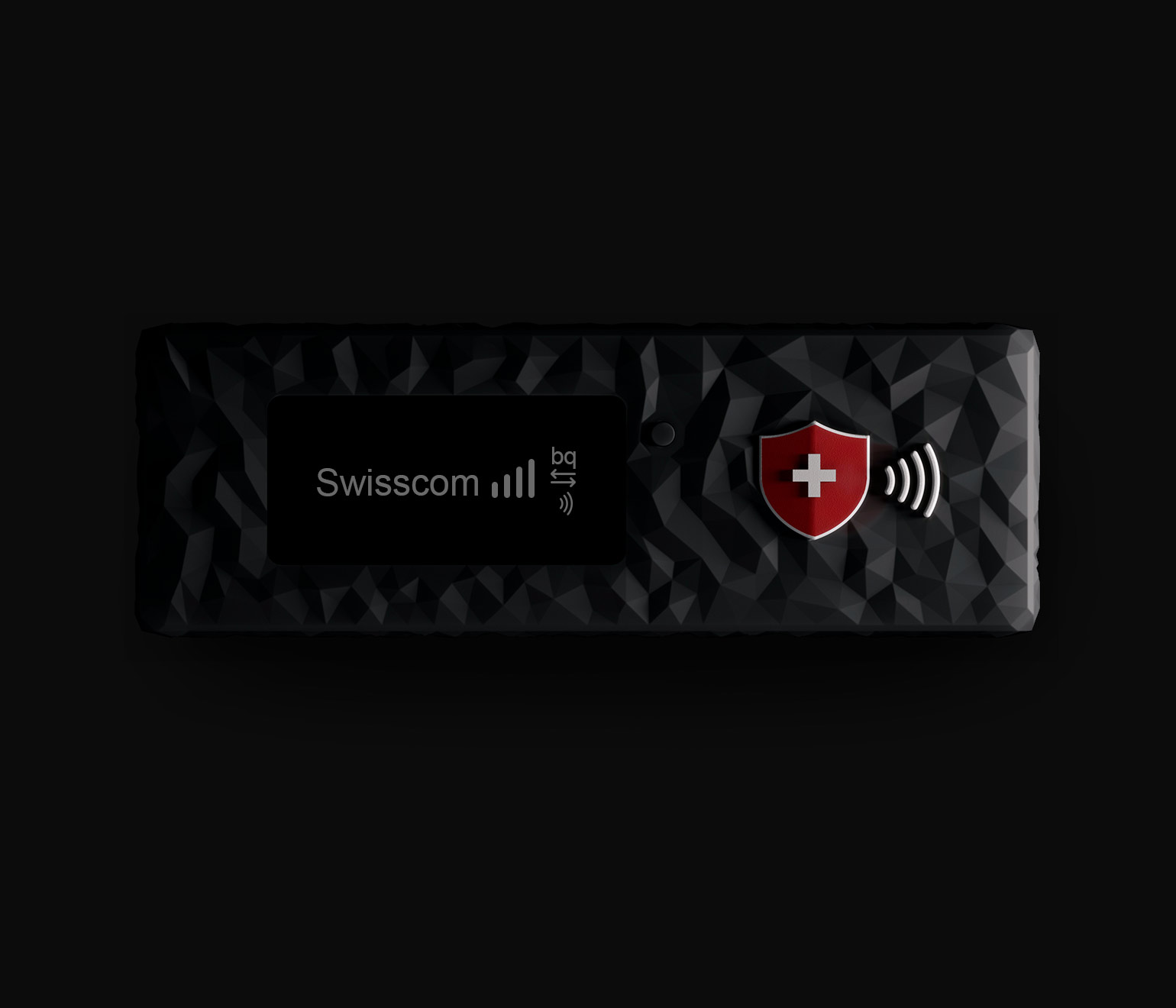
GSMBox · Ethernet model
GSMBox connects a physical mobile line to boqpod. Leave the SIM in the box and receive its incoming calls and SMS through your boqpod identity, while the box stays connected to mobile coverage and the internet.
The SIM in GSMBox connects to the operator’s cellular network. The box stays where it has mobile coverage and a reliable internet connection.
GSMBox connects the mobile line to the boqpod system. Keep it powered and within mobile coverage; its SIM remains in the box.
The Ethernet model connects to a LAN port on your router. The router supplies internet access; the box uses the power supply specified for its hardware revision.
Use the separate GsmBoxConfig utility over Bluetooth to set the target boqpod ID and network configuration. The display shows mobile signal, network and server-connection status.
App-to-app communication and calls through a mobile operator are different paths. The GSMBox cellular leg is an ordinary mobile-network connection; it does not turn a conventional mobile call into end-to-end encrypted boqpod messaging.
Give the box mobile coverage, power and a path to the internet. The Ethernet model connects directly to your home or office router.
Run an Ethernet cable from GSMBox to a LAN port on the router. The box uses this connection to reach the boqpod service.
Install the SIM and use the power supply specified for your hardware revision. Place the box where the mobile signal is reliable.
Use GsmBoxConfig over Bluetooth to set the target boqpod ID and LAN settings. Check the display for mobile signal, network and server status.
From local databases to call transport: the protocols and libraries behind boqpod for Android 1.3.
The Android interface connects to native communication libraries through JNI. Messaging, call signalling and media transport run as distinct parts of the system.
A secp256k1 key identifies the account. Message encryption combines RSA-4096 with PKCS#1 v1.5 padding and AES-256-CBC. Call media uses SRTP with AES-256 counter mode and HMAC-SHA1 authentication. Private account keys are held locally; contacts can compare public-key fingerprints.
The C++ msgcomsrv service handles message delivery, call signalling and UDP/TCP relays. Messages are encrypted for their recipients. Undelivered ciphertext can wait in a bounded in-memory queue until acknowledgement or expiry. Calls can use a direct path or a server bridge; bridge-only mode avoids exchanging direct IP addresses with the other caller.
SQLCipher encrypts the local message and account databases. Opus encodes live-call audio; libvpx provides VP9 video. Recorded voice messages use AMR-NB. LibreSSL supports cryptography and TLS. Android 1.3 requires Android 5.0 or newer.
| Library | Version | Role | Licence |
|---|---|---|---|
| LibreSSL | 4.2.1 | Cryptography & TLS | ISC / OpenSSL / SSLeay and bundled notices |
| Opus | 1.6.1 | Audio codec | BSD-style and bundled notices |
| libvpx | 1.16.0 | VP8 / VP9 video | BSD-3-Clause + patent grant |
| SQLCipher Android | 4.11.0 | Encrypted local database | SQLCipher Community BSD-style; see vendor notices |
| AndroidX Core | 1.17.0 | Android compatibility | Apache-2.0 |
| AndroidX AppCompat | 1.7.1 | Application & UI compatibility | Apache-2.0 |
| Material Components | 1.12.0 | Interface components | Apache-2.0 |
| AndroidX SQLite | 2.5.0 | Database interfaces | Apache-2.0 |
| ICU4J | 49.1 | Unicode & internationalisation | ICU license + Unicode data notices |
| ZXing Core | 3.3.3 | QR & barcode processing | Apache-2.0 |
| dm77 BarcodeScanner core + ZXing | 1.9.8 | Camera barcode scanning | Apache-2.0 |
boqpod 1.3.0 is available for Android 5.0 and newer. Choose ARM64 for Google Pixel, or Universal for other supported architectures. Install over your existing app to keep its data.
Signed Android release · build 107 · ARM64 for Google Pixel and other ARM64 devices. Includes app lock, Panic PIN local reset and screen protection.
Download ARM64 APK2ffcd9596d4cf94c14af85536e78ef5cefea11aec2de1c980d90578575df4aa9Compute the SHA-256 hash of the downloaded file and compare all 64 characters with the checksum above.
shasum -a 256 boqpod-1.3.0-arm64.apkA matching checksum confirms file integrity, not the security of the application.
boqpod 1.3.0
Architecture: arm64-v8a / armeabi-v7a / x86_64
54bba6ba2fbf94771f3a03383785874b3d55d60dee02f71bb555d3ada7676c5aMore reliable history, device transfers and background calls.
Install over the existing application. Do not uninstall boqpod before updating.
Moving your history to another device? Update boqpod on both devices before starting the transfer.